# A form input & tabular output on the same page in Angular
So, I have started learning Angular. I like it as it enforces OOPs concepts via TypeScript.
Here I show how to input data into a form and display each entry as a row in a table.
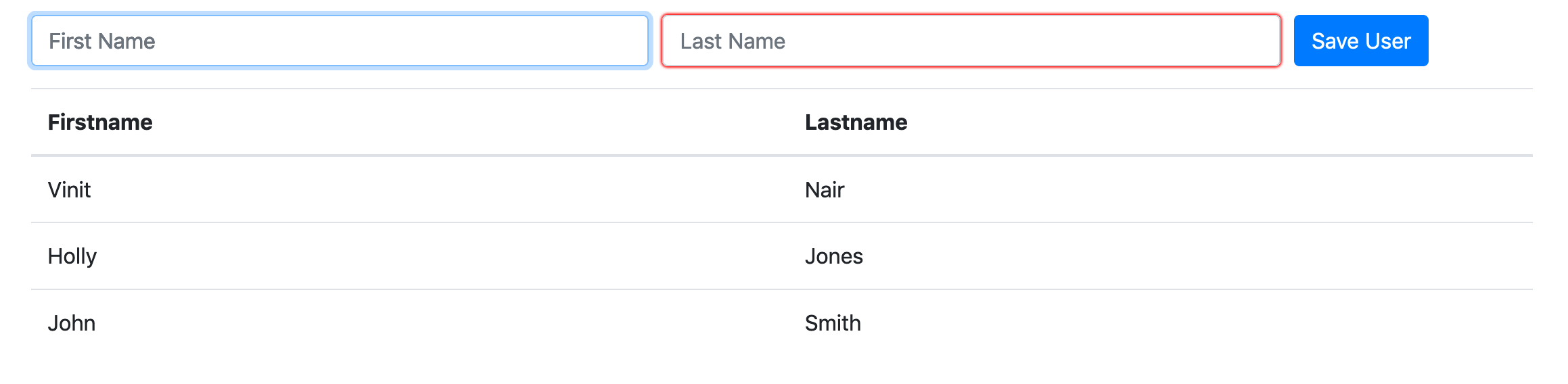
import FormsModule into app.module.ts
`import { FormsModule } from '@angular/forms';`
and place it into imports.
```
imports: [
BrowserModule, FormsModule
],
```
Now place this HTML code in app.component.html
```
| Firstname |
Lastname |
| {{ u.firstName }} |
{{ u.lastName }} |
```
and this into app.component.ts (the only reason why I put `class User` into app.component.ts is for easy reference, otherwise this would be stored in a separate file and then imported into app)
```
import { Component } from '@angular/core';
export class User
{
private _id: number;
firstName: string;
lastName: string;
constructor(_id: number)
{
this._id = _id;
}
get id(): number
{
return this._id;
}
set id(id:number)
{
this._id = id;
}
setAllDetails(_firstName:string, _lastName: string)
{
this.firstName = _firstName;
this.lastName = _lastName;
}
}
@Component({
selector: 'app-root',
templateUrl: './app.component.html',
styleUrls: ['./app.component.css']
})
export class AppComponent
{
_users:User[] = [];
user:User;
constructor()
{
this.user = new User(0);
}
addUser()
{
this.user.id = Math.floor(Math.random() * 100000);
// https://stackoverflow.com/questions/35959372/property-assign-does-not-exist-on-type-objectconstructor
const newUser = (Object).assign({}, this.user); // copy, -t es6
// https://stackoverflow.com/questions/64566579/home-come-object-assign-works-for-sending-in-a-copy-of-the-object-to-a-function
// const newUser = { ...this.user }; // This doesn't work since expected type in addUser() is user: User
// this._users.push(this.user);
this._users.push(newUser);
// this.service.addUser(newUser);
}
}
```
Two issues :
1. `const newUser = { ...this.user }` won't do as the resultant `newUser` won't have all the properties (like private properties and methods) which will result in a TypeScript error.
2. `this._users.push(this.user);` will push a reference of `this.user` to the `_users` array which will have the exact values in all keys of the array.
So it it necessary to pass in a **copy** of this.user to push() or any other function (like a service) that accepts a argument of type `User`.
Ref : https://stackoverflow.com/questions/64566579/home-come-object-assign-works-for-sending-in-a-copy-of-the-object-to-a-function