Creating a Dynamic Dropdown List in Google SpreadSheets via Script
Using Google's App Script which is a constrained JavaScript within the editor, you can leverage many of spreadsheet features via code which is dynamic

A
I am a web developer from Navi Mumbai.
Mainly dealt with LAMP stack, now into Django and getting into Laravel and Cloud.
Founder of nerul.in and gaali.in
Goto sheets.google.com - I saved this spreasheet as Temp.
Now click on the Extensions > App Script in the top-level menu as shown here :
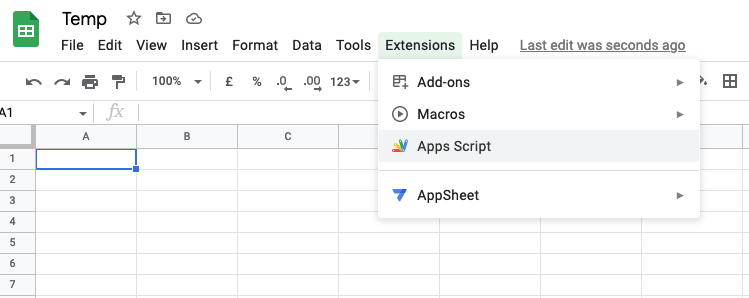
Now, you'll see an editor like this below :
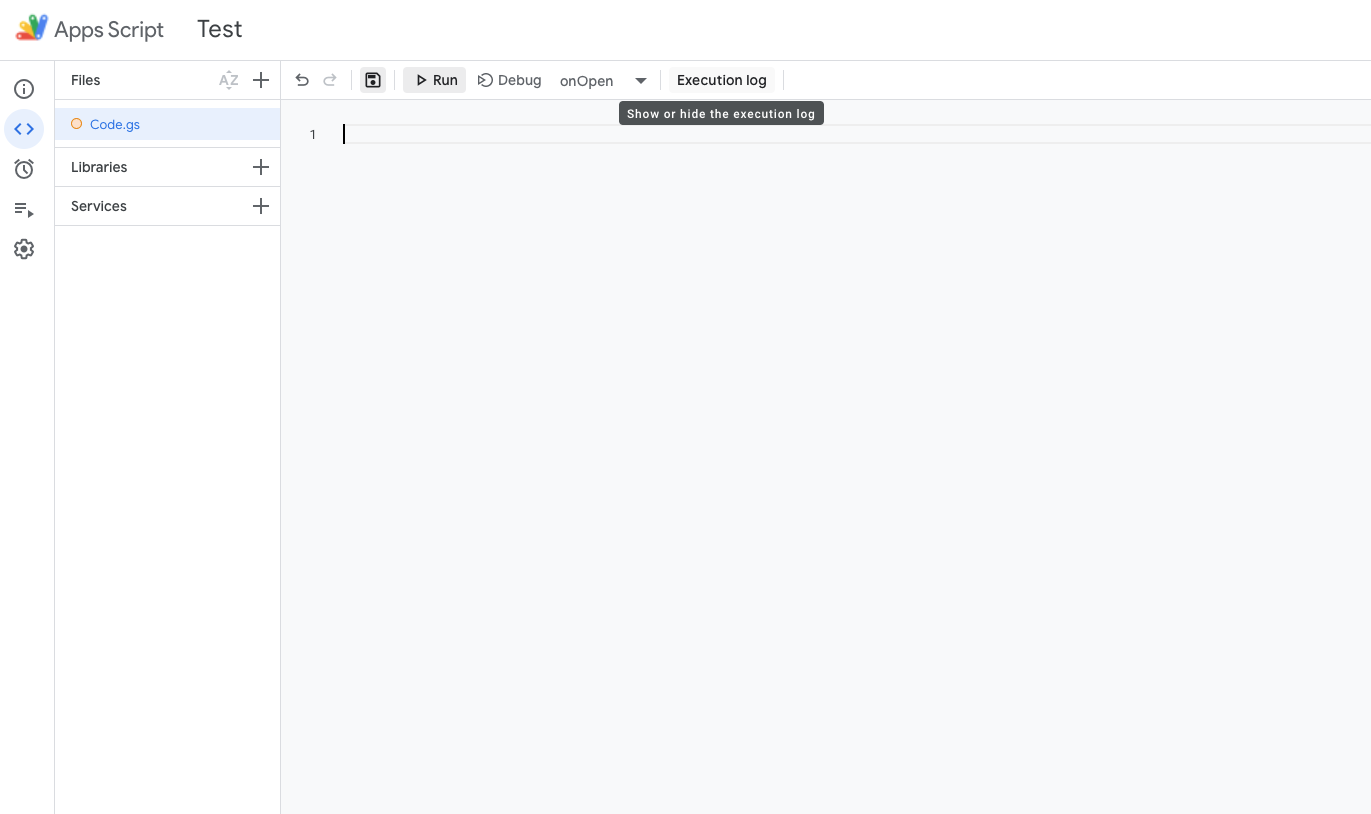
Now enter this code as is :
function onOpen()
{
    dynamic_dropdown();
}

function dynamic_dropdown()
{
    var spreadsheet = SpreadsheetApp.getActiveSpreadsheet();
    var sheet = spreadsheet.getSheetByName('Sheet1');

    sheet.getRange('B2').setValue('Mumbai');
    sheet.getRange('B3').setValue('New Delhi');
    sheet.getRange('B4').setValue('Chennai');
    sheet.getRange('B5').setValue('Bengaluru');
    sheet.getRange('B6').setValue('Kolkatta');
    sheet.getRange('B7').setValue('Kochi');
    sheet.getRange('B8').setValue('Ahmedabad');
    sheet.getRange('B9').setValue('Hyderabad');

    // Set the data validation for cell D2 to require value from B2:B9, with dropdown menu.
    var cell = sheet.getRange('D2');

    var firstrow = 2;

    // var range = SpreadsheetApp.getActive().getRange('B5:B9');
    // https://developers.google.com/apps-script/reference/spreadsheet/sheet#getRange(Integer,Integer,Integer,Integer)
    var range = sheet.getRange(firstrow, 2, sheet.getLastRow() - firstrow + 1, 1); // 2,2,9,1

    var data = range.getValues(); console.log(data);

    var rule = SpreadsheetApp.newDataValidation().requireValueInRange(range, true).build();
    cell.setDataValidation(rule);
}
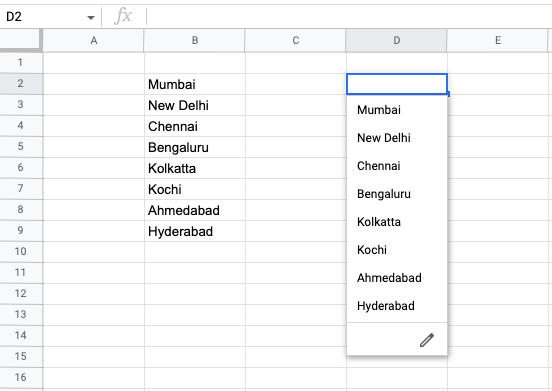
Now when you reload the sheet OR if you just hit Run in the App Script, this code will run and you'll see a pre-filled column and a drop-down next to it like this :
References :
https://developers.google.com/apps-script/reference/spreadsheet/spreadsheet-app#newDataValidation()